DW Spectrum User Manual
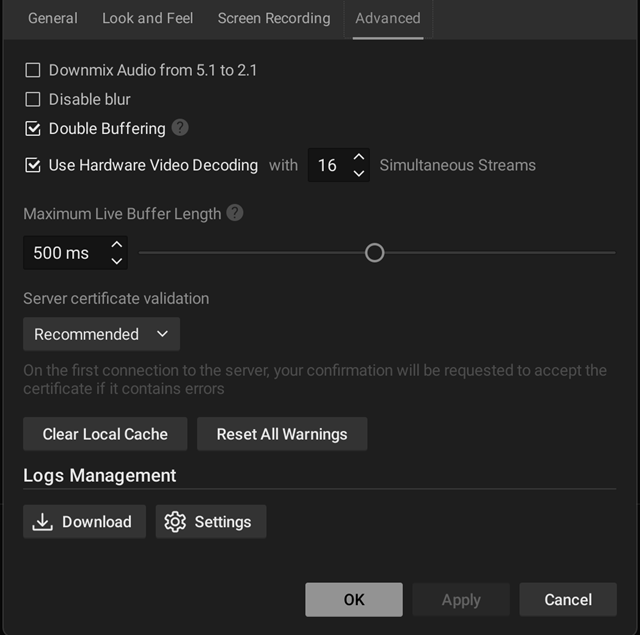
The DW Spectrum Desktop Client supports hardware acceleration on Graphical Processing Units (GPU) from NVIDIA and Intel. Enabling hardware acceleration can free up computational resources for other tasks and often improve the performance of lower powered hardware or increase the ability to decode very-high resolution cameras and streams.
To Enable Hardware Acceleration:
1.Open Main Menu > Local Settings > Advanced
2.Check the box for Use Hardware Acceleration Decoding.
3.Set the number of simultaneous streams that will receive hardware acceleration.
4.Click Apply to save changes.
To Disable Hardware Acceleration:
1.Open Main Menu > Local Settings > Advanced
2.Deselect the box for Use Hardware Acceleration Decoding.
3.Click Apply to save changes.