DW Spectrum User Manual
The following types of Users can be present in the Site and are identified in lists with specific icons; grayed out icons indicate that the user account is currently disabled.
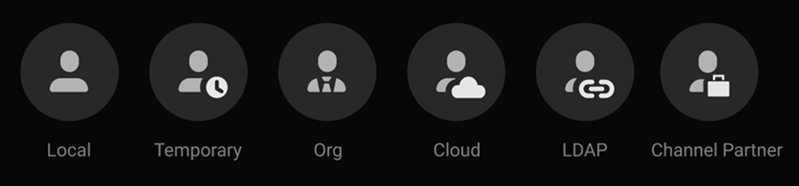
•Local Users:
oReside in the Site where they were added.
oConnect to the Local Site using the Desktop Client, Mobile Client, or the Web Admin interface.
oCannot use the Cloud Portal.
oAre Local Users with limited permissions, a preset expiration date, and an optional session length limit.
oCannot be a member of any group with Power User permissions.
oCan use the Desktop Client and Web Admin to connect to a Site.
oCannot connect the Cloud portal.
oReceive a URL to connect to a specific Site; no password is required and the link can be used by anyone.
•Organization (Org) Users:
oAre created outside of the Desktop Client, Mobile Client, or the Web Admin clients.
oAre managed at the Organization level by the Organization Administrator.
oAre displayed in User Management dialogs and Site User lists.
oCan be granted access to all Sites within the Organization, or only a subset of Sites in the Organization.
oPermission granted at the Organization level can only be changed by an Organization Administrator.
oSite-level permissions, including Global Permissions, can be set and revised by authorized Site Administrators and Power Users.
oCannot be disabled or removed by Site Administrators or Power Users.
oAccess Sites using the Desktop Client, Mobile Client, Web Admin, or Cloud Portal, where the user has access permissions.
•Cloud Users:
oReside in the Cloud and can exist without having access to a Site.
oUse the Desktop Client, Mobile Client, Web Admin interface, or the Cloud Portal to access Cloud Connected Sites.
oCan only access Sites that are connected to the Cloud.
oRetain their username, password, and LDAP Group memberships when imported.
oConnect to Sites using their imported credentials and the Desktop Client or Web Admin.
oCannot log into a Site when the LDAP Server fails to respond.
oCan be directly granted Permissions to Resources and added to both Built-In and Custom Permission Groups.
oCannot be permanently deleted from a Site as LDAP users are re-imported during each LDAP sync.
NOTES:
1.LDAP Users will be imported (as disabled) when there is already the same username in the Site.
2.To block access by an LDAP user, the user account must be removed from the LDAP server or disabled in the Site settings.
3.Disable an LDAP user when there is a need to retain user entries in the Audit Trail of User Actions.
•Channel Partner Users:
oAre created outside of the Desktop Client, Mobile Client, or the Web Admin interface.
oAre managed at the Channel Partner level by the Channel Partner Administrator, and at the Organization level by the Organization Administrator.
oAre only displayed in User Management dialogs and Site User lists when they are granted Site-level permissions.
oInherit permissions from their Channel Partner that cannot be changed by Site Administrators or Power Users.
oSite-level permissions, including Global Permissions, can be set and revised by Site Administrators and Power Users.
oUse the Desktop Client, Mobile Client, Web Admin, and Cloud Portal to access Site where they have access permission.
oCannot be disabled. However, Channel Partner Users can be removed from a Site.
NOTE: Removing a Channel Partner user from a Site hides the user in the User Management interface while retaining their inherited permissions.
The following topics are structured around how to perform common User Management tasks:
•Managing Temporary User Access.
•Disabling and Enabling Users.
