DW Spectrum User Manual
The Bookmarks tab in the Notification Panel provides a visual interface for searching and viewing Bookmarks. All information from the Bookmark dialog is displayed with a thumbnail image from approximately the middle of the Bookmark video.
Key points about using bookmarks:
•When a camera is selected, Bookmarks in the archive will be shown in descending order by archive timestamp.
•Clicking on a Bookmark will move the Timeline marker to the start of the Bookmark.
•The default filter display is any time for any camera on the layout.
•Use search to find a Bookmark Names, Descriptions, and Tags (See "Searching and Filtering " for more details).
•Bookmarks can be shared from within the Cloud Portal.
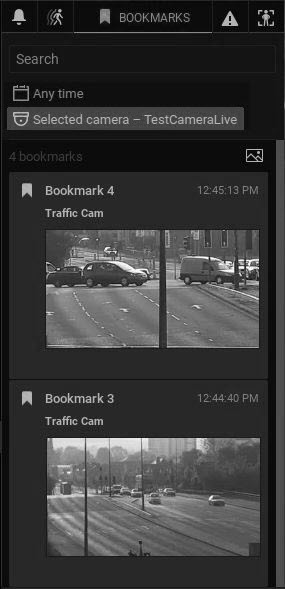
When the Bookmarks Tab is active, blue bookmark segments will display in the Timeline (see "Using Bookmarks" for more details.)

