DW Spectrum User Manual
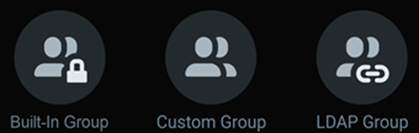
Groups are a powerful method to organize Users and simplify Permissions Management. There are three types of groups:
oProvide predefined access to Settings and Resources.
oCannot be modified or changed (see "Built-In Groups and Permissions").
oAdministrators and Power Users are the only Groups that can edit Site settings.
oThere are six predefined, Built-In groups, that are listed in order of decreasing permissions – Built-In groups have the permissions of each group below it.
1.Administrators
2.Power Users
3.Advanced Viewers
4.Viewers
5.Live Viewers
6.Site Health Viewers
oExcept for the Built-In Administrator group, all Built-In groups can contain Custom Groups as members who inherit permissions from the Built-In Group.
oCan be configured with a Permission set tuned to business policies and unique operational needs.
oAre created and managed by members of the Built-in Administrators and Power Users Groups.
oCan be members of the Built-In Power Users Group to access some Site and resource settings.
oCan be members of any Built-In Group, except for the Administrators Group.
oInherit the permissions from all direct-parent groups and all grandparents at any level.
oCannot be configured to grant members access to change Site and Server settings.
oTemporary Users cannot be added to any Custom Group that inherits Power User permissions.
oCan be imported with existing LDAP User members.
oCan be managed similar to a Custom Group but their membership and group name can be changed on the LDAP Server only.
oMay have a duplicated Group name if a similar Group exists in the Site.
See LDAP Users and Groups for configuration settings, warning banners, and related details.
The following topics describe the operations that can be performed with Groups:
